Claude with kit 1.1.0
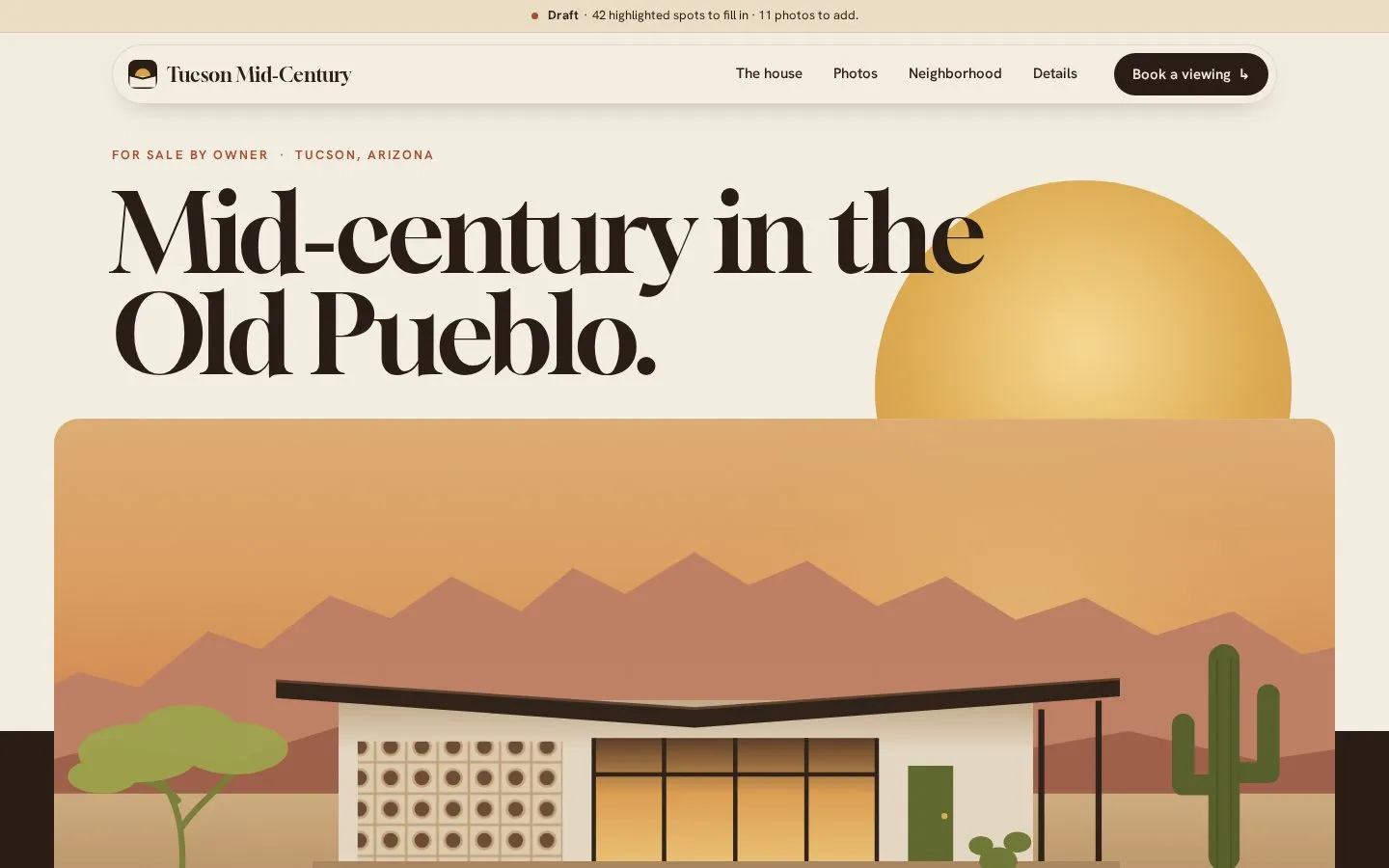
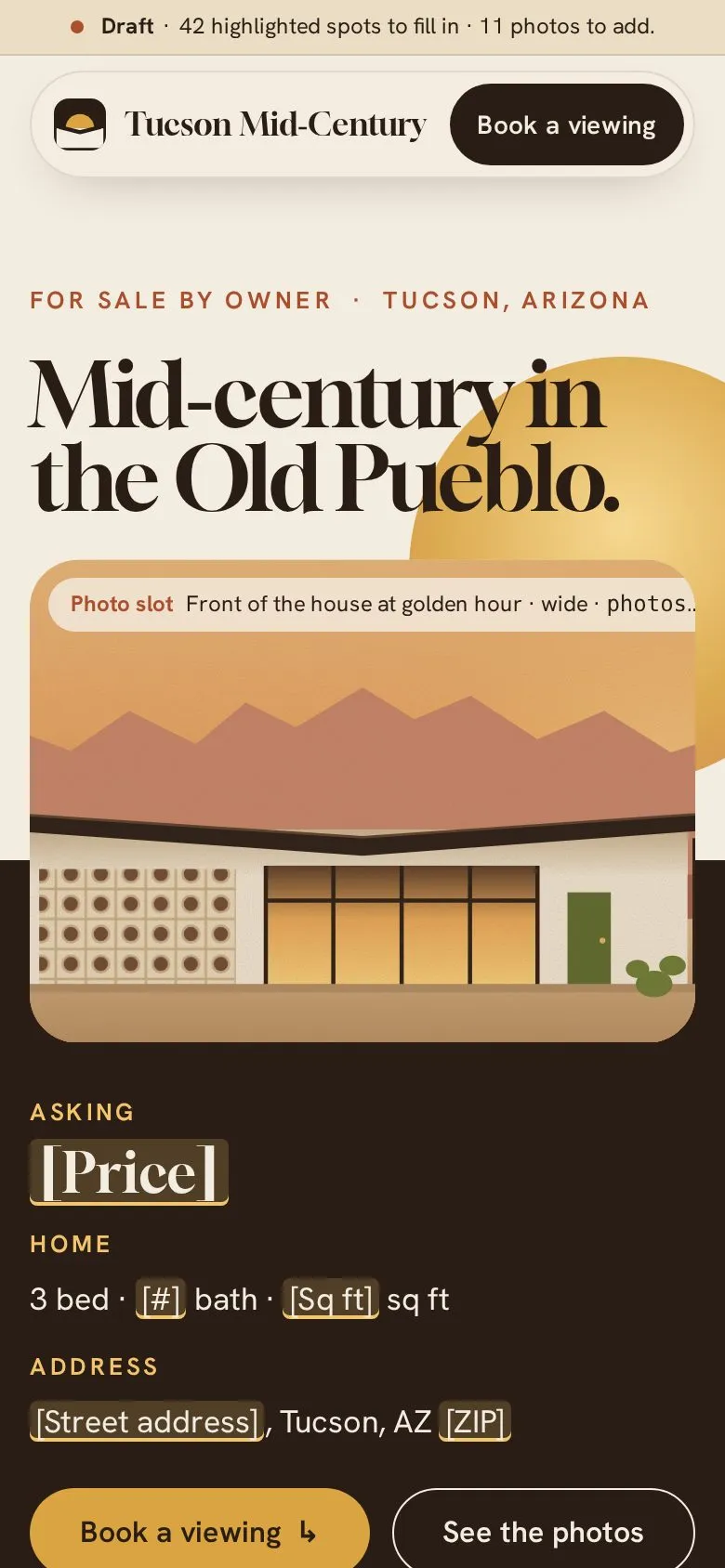
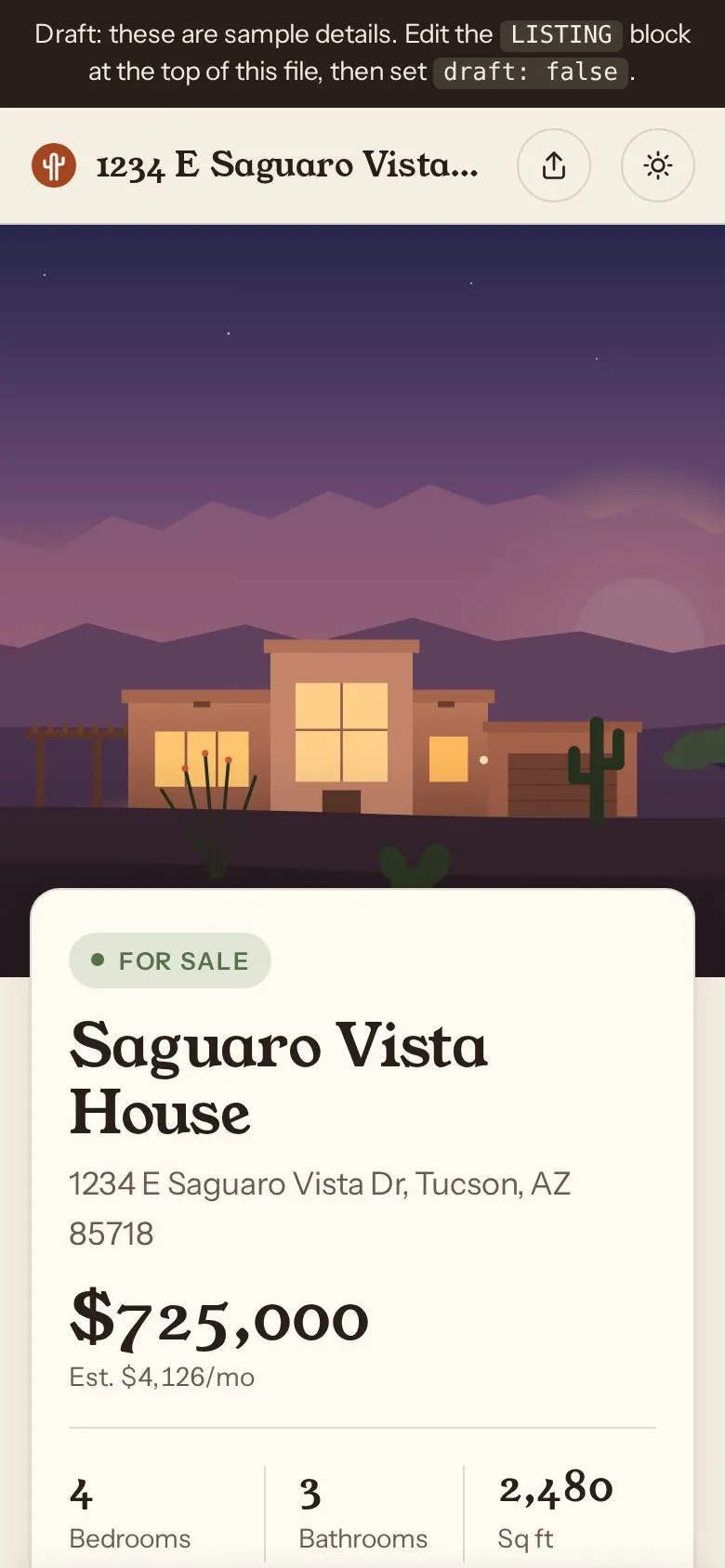
Screenshots show the first screen. Try it live runs the real build right here: scroll it, click it, poke it.
The prompt
“Make a listing site for a house we're selling in Tucson.”
With the kit, it asked a few questions first. The answers: "We're selling it ourselves. 3 bedrooms, mid-century. We'll add our own photos. Price, address and square footage aren't final. Warm and premium." Without the kit it asked nothing and went on the prompt alone.
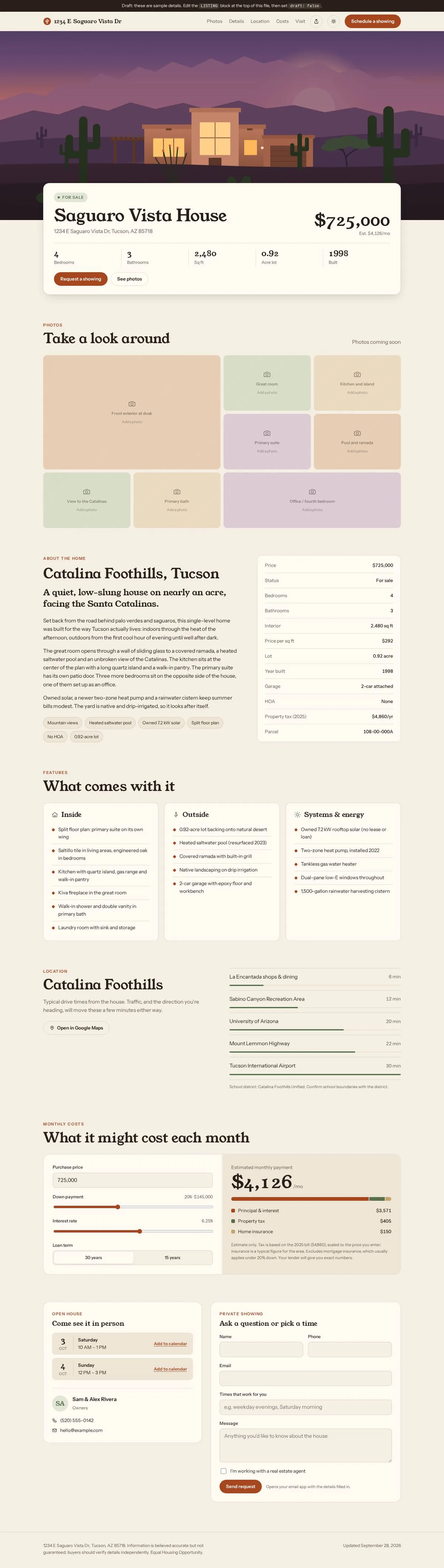
same prompt, no kit
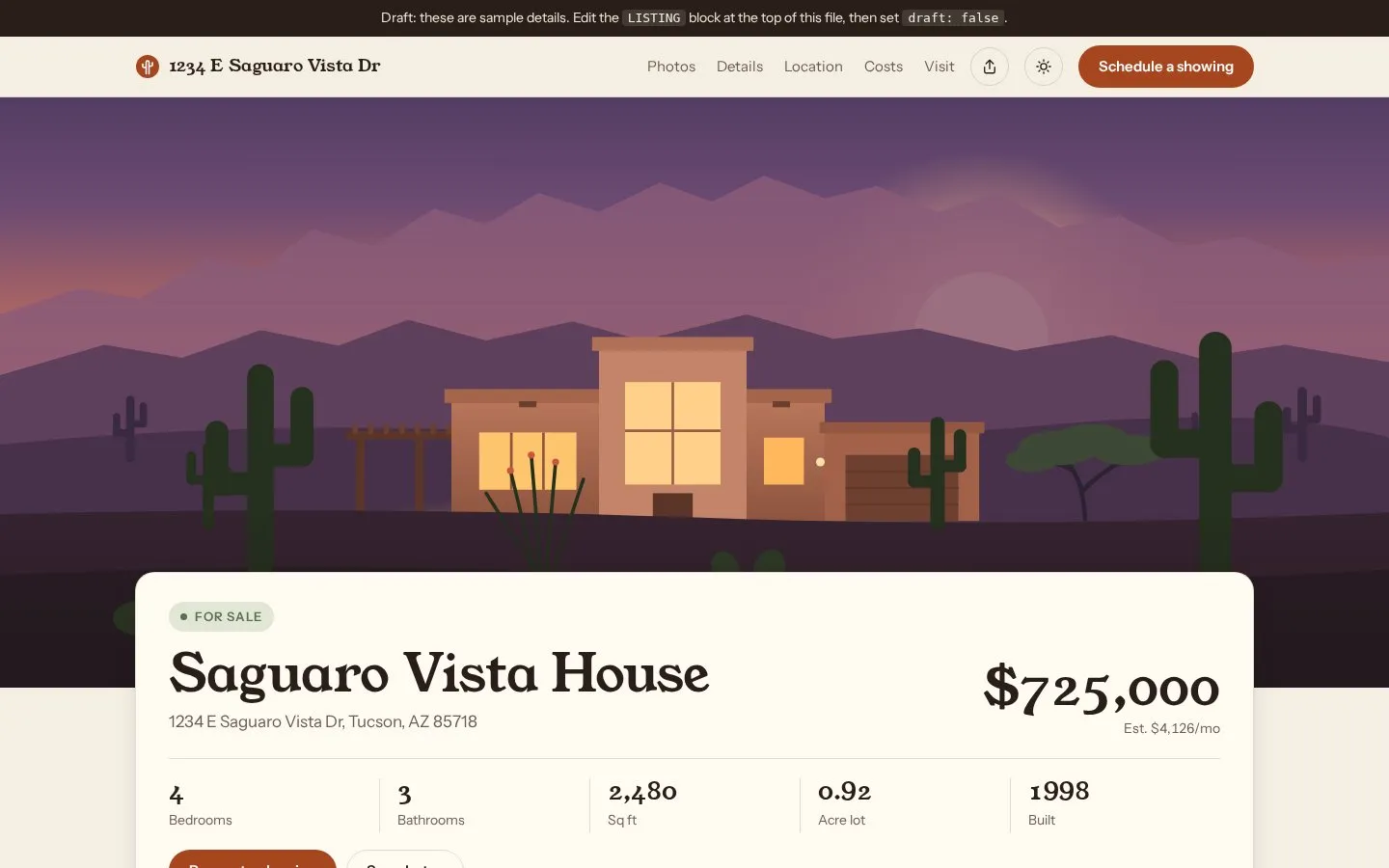
- Filled in a made-up price ($725,000), street address, square footage and phone number as "sample details"
- Uses a split hero (the headline card sits over the picture)
With the kit: nothing invented. Anything the prompt didn't give is marked as a gap to fill in.
- Where the kit fell short: The footer scene washed into the page with no clear edge (a rule added in the final 1.1)
the kit build’s own handover note
The listing site is built as a draft. Since the price, address and square footage aren’t final, those spots show as highlighted placeholders. A slim bar at the top counts what’s still missing (42 text spots and 11 photos right now) and disappears once everything is filled in.
I ran it in a headless browser and checked it at desktop and phone widths, with animations on and off. The viewing form, the copy button, the phone price bar and the photo viewer all worked, the facts filled in correctly with test values, and there were no errors or sideways scrolling on a phone. I haven’t tried it with your real photos or tested it in Safari.
The page, top to bottom:
- Opening: the headline “Mid‑century in the Old Pueblo.” with a setting sun behind a wide photo of the house. As you scroll, the photo widens to full width and the sun sinks behind it; this is the page’s one big animated moment. Below it sit the price, the room counts, the address and a “Book a viewing” button.
- The house: “Three bedrooms. Mid‑century. Sold by us.” with a row of key numbers (bedrooms, baths, square feet, year built, lot size).
- Why we love it: three cards that stack as you scroll, each with space for a photo and a line from you. The text on them is placeholder for now.
- Photos: a gallery of seven photo spaces (living room, kitchen, bedrooms, backyard, bathroom). Once real photos are in, tapping one opens it larger.
- Neighborhood: a list of nearby places with minutes from the house, plus the current time in Tucson.
- Details: the practical facts (cooling, roof, parking, taxes, HOA and so on) with a mountain ridge at the top of the section.
- Book a viewing: a sunset background with your contact details and a request form. The form doesn’t send anything itself. It opens the visitor’s email app with the request already written to your address, or copies the text for them to send.
- On phones: a small bar pinned to the bottom shows the price and a “Book a viewing” button.
- Type
- Single listing
- Tone
- Calm & premium, warm
- Field
- Real estate
- Built in
- Claude, kit 1.1 (this prompt was rebuilt after the round-2 review)
- Kit version
- 1.1.0
- Compared with
- Plain Claude, no skills, same prompt
Scroll it The whole page, top to bottom